

Product locations and picking lists for PrestaShop images
Product locations and picking lists for PrestaShop
- rocket_launch Every sale is taken from the right location
- tune Independent combinations, grouped picking, CSV import
- system_update_alt Free access to updates for 2 years
Product description
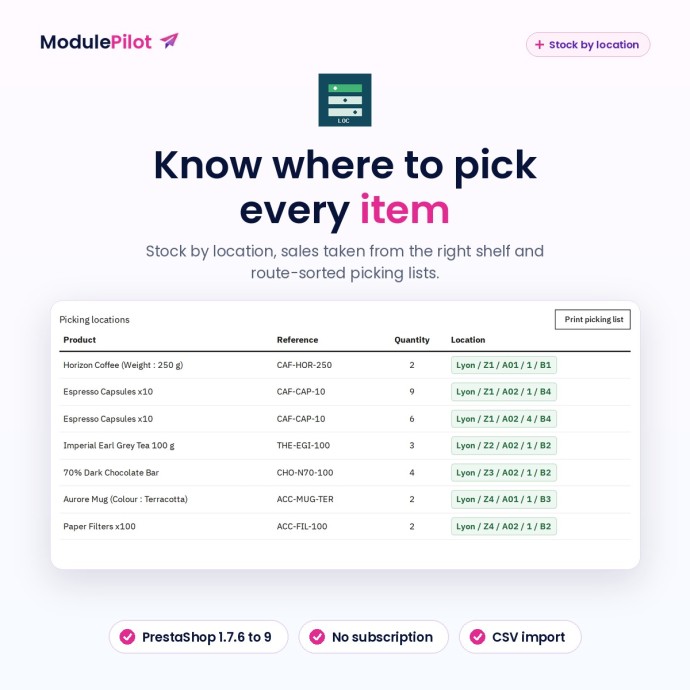
Know where to pick every item
MP Stock by location records where every unit of your stock sits — warehouse, zone, aisle, shelf and bin — and ties it to PrestaShop stock. Your team sees, on every order, where to take each item from, and prints a picking list sorted along your route. No side spreadsheet, no “where was it again?”.
The module does not replace PrestaShop stock management: it plugs into it. As long as you have entered nothing for a reference, its stock stays exactly what it was.
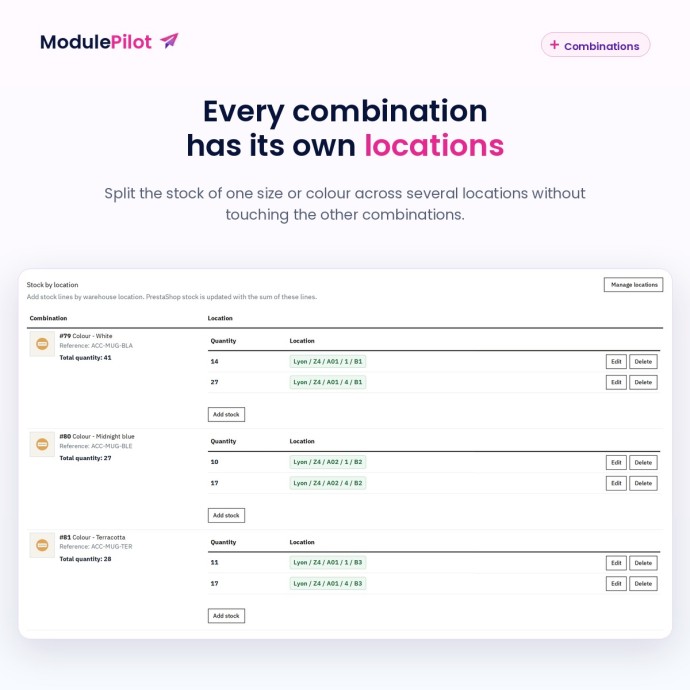
Stock spread over several locations
- Add as many lines as needed to a product or combination: for example 12 units in the picking face and 90 in reserve, across two warehouses.
- Every combination has its own lines: editing one never touches the others.
- The PrestaShop stock of a reference always equals the sum of its locations.
- On the product page, a combination that is not managed yet shows its current PrestaShop stock.
Sales follow the stock, not the other way round
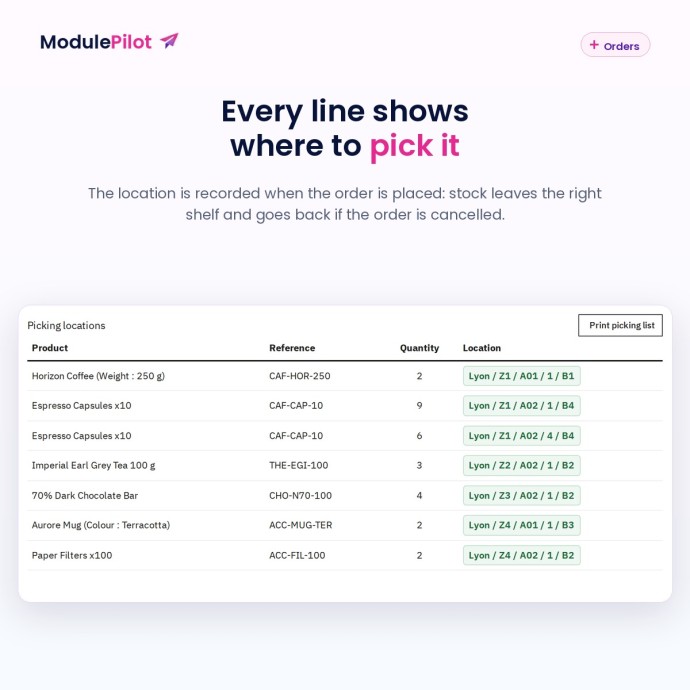
- When an order is validated, each line removes its units from the locations in route order and remembers where they came from.
- A cancelled order puts the units back exactly where they were picked.
- Editing a location after a sale does not bring the sold units back: stock stays right.
- A stock change made elsewhere in PrestaShop (a manual correction, for example) is applied to the locations: an increase goes to the first line, a decrease follows the route.
Clear picking, for one order or a whole batch
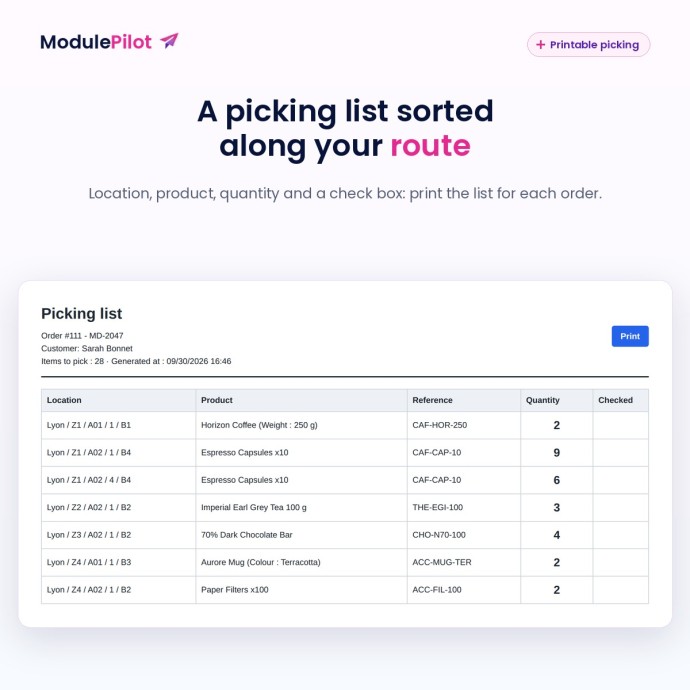
- Every order shows, line by line, where to pick. A line that comes from two shelves appears as two rows.
- Printable picking list, sorted by location, with a check box.
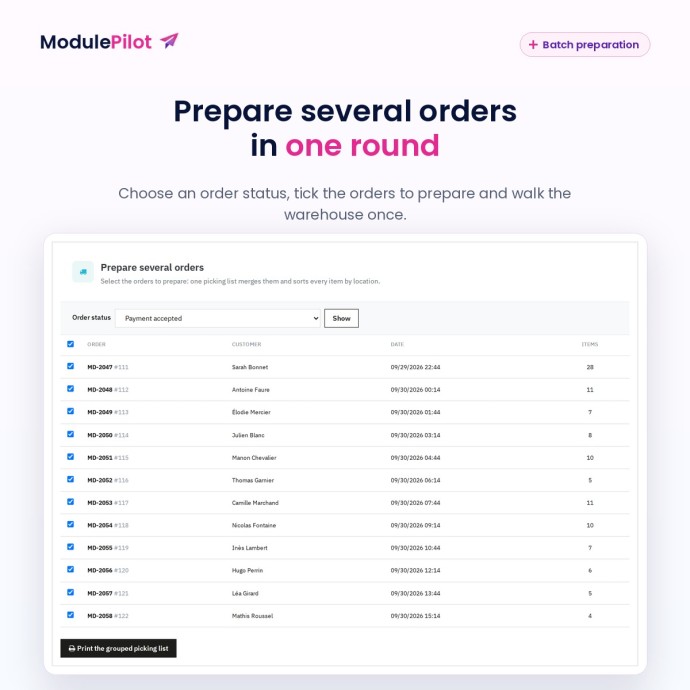
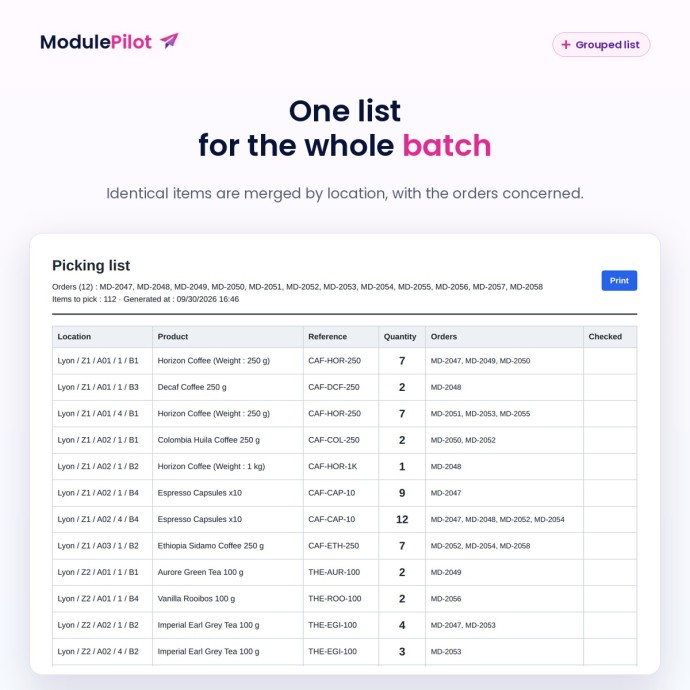
- “Prepare several orders”: choose an order status, tick the orders and print one grouped list. Identical items are added up per location, with the orders concerned.
An overview and a CSV import that never duplicates
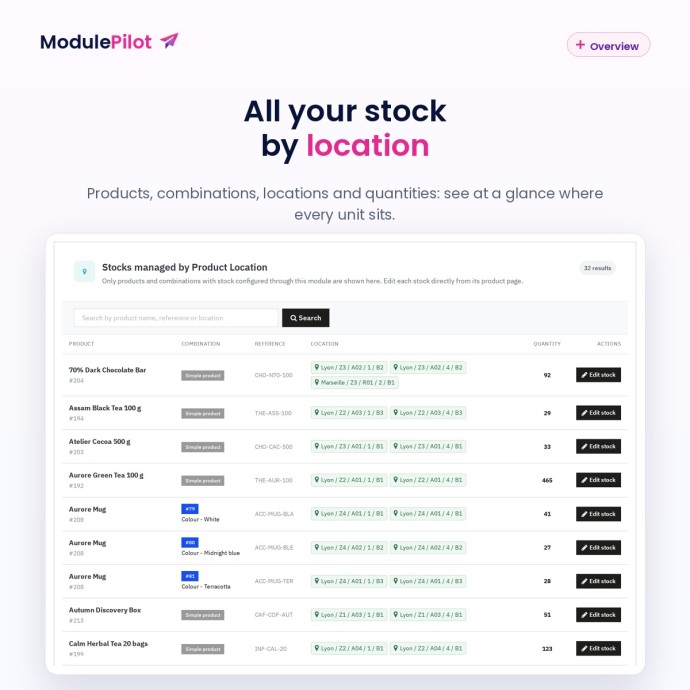
- Management page with search by product, reference or location, and a direct link to the product page.
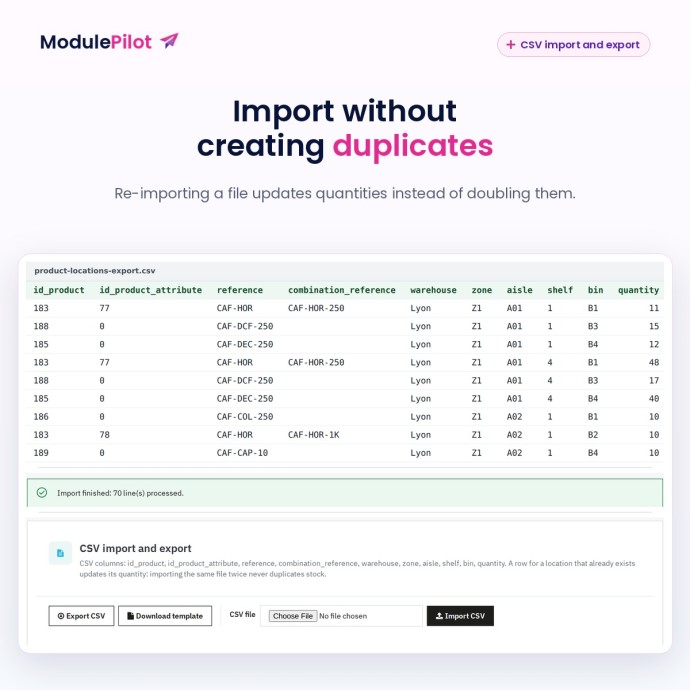
- CSV export of all your locations and a ready-to-fill template.
- CSV import by ID or by reference, for products and combinations. Importing the same file again updates quantities instead of adding them up.
What is included
- MP Stock by location module 1.2.0, ready to install (ZIP).
- Back Office in French, English, Spanish, Polish, Italian, Czech, German and Romanian.
- Compatible with PrestaShop 1.7.6 to 9.x.
- Simple products and combinations.
- Free updates for 2 years.
- Support for installation and getting started.
Frequently asked questions
Does the module change my stock?
Only for the references where you enter locations. For those, PrestaShop stock becomes the sum of the lines, then follows sales and cancellations.
Which location is used when I sell a product?
Lines are used in route order: warehouse, zone, aisle, shelf, bin. Codes are sorted naturally, ignoring case: A2 comes before A10, so no zero padding is needed.
Can I manage one combination without touching the others?
Yes. A combination with no line keeps its PrestaShop stock until you add one.
Is it a full WMS?
No. The module handles locations and picking; it does not handle barcode scanners, batches or transfers between locations or warehouses (move stock by editing the lines).
Can I try it safely?
Yes: install it, enter the locations of a single product and check the result before importing the rest by CSV.
-
Price€89.99
-
ReferenceMODULE-PRODUCTLOCATIONS-110
-
CompatibilityPrestaShop 1.7.6+ / PS8 / PS9
 Secure payment
Protected checkout and download available after purchase.
 Instant delivery
Download the module ZIP directly from your order.
 Merchant support
Installation help and configuration guidance included.